• Link to Facebook
  • Link to X
  • Link to LinkedIn
  • Link to Instagram
  • Link to Youtube
Support : 781-396-6726 | Sales: 888-342-9985
Auxzillium
  • Expertise By Size
    • Small Business
    • Mid Sized
    • Large Business
    • Enterprise
    Expertise By Industry
    • Healthcare
    • Pharma / Med Tech
    • Banking & Financial Services
    • Education
    • Manufacturing
    • Legal / Law Firm
    • Accounting Firm
    • Retail
    • Marketing
    • Radiology
    • Life Sciences
    • Energy & Utilities
    • Dealership/Automotive
    • Government
    • Construction
    • Professional Services
    • Non-Profit
    • Transportation & Logistics
    • Real Estate
    • Hospitality
    • Wealth Management
    • Engineering
    • Architecture
  • About
    • Testimonials
    • Career at Auxzillium
    • Privacy Policy
    Resources
    • Blog
    • Case Studies
    • News
    • Cybersecurity Ebook
    • MSP Buyers Guide
    • IT Cost Cutting Guide
    • Unlock Value From Your IT
  • Contact Us
    • Contact Us
    • Remote Access
    • Client Log In
    Offices
    • Boston, MA
    Sales
    888-342-9985
    Customer Support
    781-396-6726
  • Book a Meeting
  • Request Pricing
  • Menu Menu
June 18, 2026/by Jeff Ray

It was only a couple weeks ago I had mentioned the term “teleworker”.

If you have been following these posts you will know that term found its origins when the remote workforce used to use a “tele”phone to dial into their office by way of a MODEM in the days of dial-up. If the term “dial-up” doesn’t make much sense, that term was in reference to the dial on your old phone with numbers 0-9 whereby you call someone, so in the past people would use a dial on a telephone to work remotely. Now, we can move past the history lesson and talk about the modern “teleworker”.

Today, staff may connect to their office or a cloud tenant of some sort where corporate assets/resources exist. Those resources can be databases, files, applications and more. We call this a remote-client Virtual Private Network (VPN). Your staff may just call it a VPN. Today, a proper implementation should include an appliance that services client connections, a directory of some sort containing a list of users and passwords, an agent installed on each user’s endpoint and Multifactor Authentication (MFA) with conditional access policies placing various restrictions on the login attempt.

That’s a lot of resources just to get someone connected. I haven’t even begun to address the assets that exist behind all these resources your users are getting access to. If these resources aren’t cloud-based that’s the first problem since you are still relying on premise-based hardware to run your business, and the modern business has transitioned to cloud-based servers and services. I won’t burn the little time we have here discussing that but if you want, feel free to reach out to a member of the team over here at Auxzillium.

Ultimately, even if your workforce is using a VPN for its workforce to function remotely and the assets they are accessing exist within a datacenter or cloud somewhere the costs are higher, your staff are less efficient, and your approach to Information Technology is behind the curve. Obviously, there are certain circumstances where a VPN must be implemented but that vast majority of businesses using them, do not need to. That includes those requiring a measure of Cybersecurity Compliance.

For quite some time now, the Auxzillium vision has been to be “VPN-less”. I still think we should trademark that term. The first step any service provider should consider when assessing an existing infrastructure that relies on servers rather than cloud-based services is: “What can do I do eliminate all of this and potentially even enhance the current cybersecurity position of my client.”

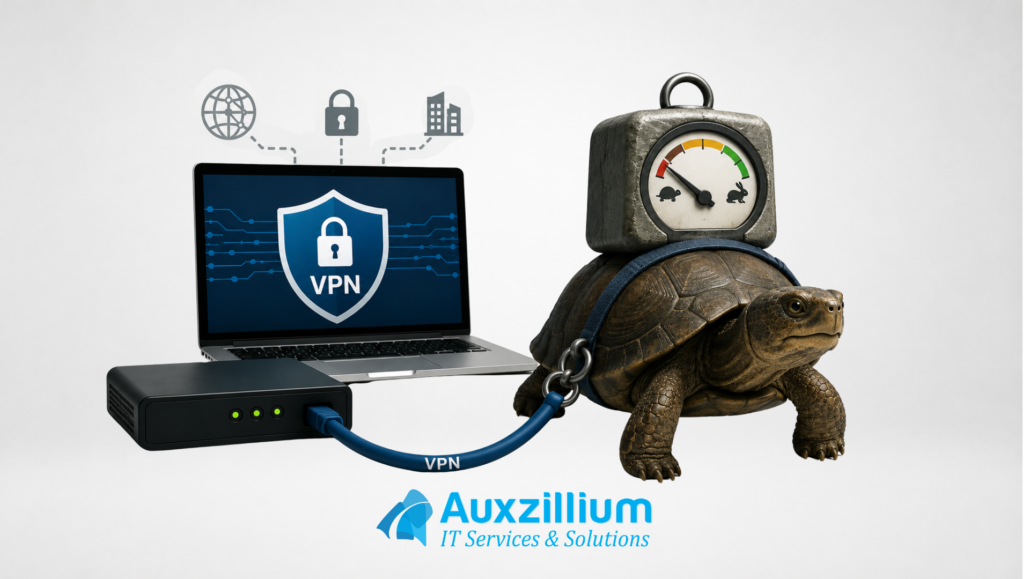
Most employees hate a VPN. They’re slow, unstable, and need to go down at times when the appliance or resources the VPN has been implemented with and for must be maintained or even renewed. If your business continues to rely on outdated approaches to information technology business solutions, you should definitely reach out to Auxzillium


If “the VPN is down” is still part of your company vocabulary, it’s time for a conversation.

Don’t let outdated IT slow your business down.

  Contact Us

Share this entry
  • Share on Facebook
  • Share on X
  • Share on WhatsApp
  • Share on Pinterest
  • Share on LinkedIn
  • Share on Tumblr
  • Share on Vk
  • Share on Reddit
  • Share by Mail
https://auxzillium.com/wp-content/uploads/2026/06/slow-vpn.png 1080 1920 Jeff Ray https://auxzillium.com/wp-content/uploads/2019/02/Auxillium-Logo-IT-Services-and-Solutions-Boston-IT-Consultants-optimised.png Jeff Ray2026-06-18 02:25:062026-08-31 18:26:23Your VPN Is Slowing Down Your Business (And You Probably Dont Need It)
Search Search

Recent Posts

  • IT Procurement Best Practices That Cut Downtime, Delays, And Surprise Costs
  • Boston Managed IT: Critical PHP Vulnerabilities and the Importance of Proactive Protection
Auxzillium Logo
407R Mystic Avenue, Medford,
MA 02155
Sales: 1-888-342-9985
Support: 781-396-6726
Facebook Twitter LinkedIn Instagram YouTube
Services
  • Cloud Services
  • Microsoft Azure Services
  • Backup and Disaster Recovery
  • Managed IT Services
  • Virtualization Services
  • Cybersecurity Assessment
Office
  • Boston, MA
    53 State St,
    Boston, MA 02109

    (857) 597-7142

Quick Links
  • About Us
  • Blog
  • Careers
Contact
  • Client Log In
  • Contact Us
© Copyright 2025 | Auxzillium - IT Services & Solutions | Privacy Policy
Link to: Is your MSP striking the right balance between standards and flexibility? Link to: Is your MSP striking the right balance between standards and flexibility? Is your MSP striking the right balance between standards and flexibility? Link to: Types Of Managed Services: Cut Tickets, Risk, And Unplanned IT Spend Link to: Types Of Managed Services: Cut Tickets, Risk, And Unplanned IT Spend Types Of Managed IT Services from AuxzilliumTypes Of Managed Services: Cut Tickets, Risk, And Unplanned IT Spend
Scroll to top Scroll to top Scroll to top
Accessibility Adjustments

Powered by OneTap

Accessibility Commitment for Auxzillium

At Auxzillium, we are committed to making our digital presence as accessible and inclusive as reasonably possible for all users, including individuals with disabilities. Our goal is to improve the usability of https://auxzillium.com and to support a more accessible experience for everyone, regardless of their abilities or the technologies they use.

Our Approach to Accessibility

We aim to align with the Web Content Accessibility Guidelines (WCAG), which define internationally recognized standards for digital accessibility. While full compliance cannot always be guaranteed, we strive to implement improvements where feasible and regularly review accessibility-related aspects of our website. Accessibility is an ongoing process, and we are committed to improving the experience over time as technologies, standards, and user needs evolve.

Accessibility Features

To support accessibility, https://auxzillium.com may utilize tools such as the OneTap accessibility toolbar. This interface provides users with a range of helpful features, including:
  • Adjustable text size and contrast settings
  • Highlighting of links and text for better visibility
  • Full keyboard navigation of the toolbar interface
  • Quick launch via keyboard shortcut: Alt + . (Windows) or ⌘ + . (Mac)
Please note the following:
  • The availability and effectiveness of these features depend on the website's configuration and ongoing maintenance.
  • While we strive to ensure accessibility, we cannot guarantee that every part of https://auxzillium.com will be fully accessible at all times. Some content may be provided by third parties or affected by technical constraints beyond our immediate control.

Feedback and Contact

We welcome your feedback. If you experience any accessibility barriers or have suggestions for improvement, please contact us: Email: shertigan@auxzillium.com Phone: 781-396-6726 We are committed to reviewing all inquiries and aim to respond within 3–5 business days. If you require assistance accessing any part of this website, we are happy to provide support through alternative channels upon request. Last updated: November 9, 2026
How long do you want to hide the toolbar?
Hide Toolbar Duration
Select your accessibility profile
Vision Impaired Mode
Enhances website's visuals
Seizure Safe Profile
Clear flashes & reduces color
ADHD Friendly Mode
Focused browsing, distraction-free
Blindness Mode
Reduces distractions, improves focus
Epilepsy Safe Mode
Dims colors and stops blinking
Content Modules
Font Size

Default

Line Height

Default

Color Modules
Orientation Modules