• Link to Facebook
  • Link to X
  • Link to LinkedIn
  • Link to Instagram
  • Link to Youtube
Support : 781-396-6726 | Sales: 888-342-9985
Auxzillium
  • Expertise By Size
    • Small Business
    • Mid Sized
    • Large Business
    • Enterprise
    Expertise By Industry
    • Healthcare
    • Pharma / Med Tech
    • Banking & Financial Services
    • Education
    • Manufacturing
    • Legal / Law Firm
    • Accounting Firm
    • Retail
    • Marketing
    • Radiology
    • Life Sciences
    • Energy & Utilities
    • Dealership/Automotive
    • Government
    • Construction
    • Professional Services
    • Non-Profit
    • Transportation & Logistics
    • Real Estate
    • Hospitality
    • Wealth Management
    • Engineering
    • Architecture
  • About
    • Testimonials
    • Career at Auxzillium
    • Privacy Policy
    Resources
    • Blog
    • Case Studies
    • News
    • Cybersecurity Ebook
    • MSP Buyers Guide
    • IT Cost Cutting Guide
    • Unlock Value From Your IT
  • Contact Us
    • Contact Us
    • Remote Access
    • Client Log In
    Offices
    • Boston, MA
    Sales
    888-342-9985
    Customer Support
    781-396-6726
  • Book a Meeting
  • Request Pricing
  • Menu Menu
September 21, 2026/by Jeff Ray

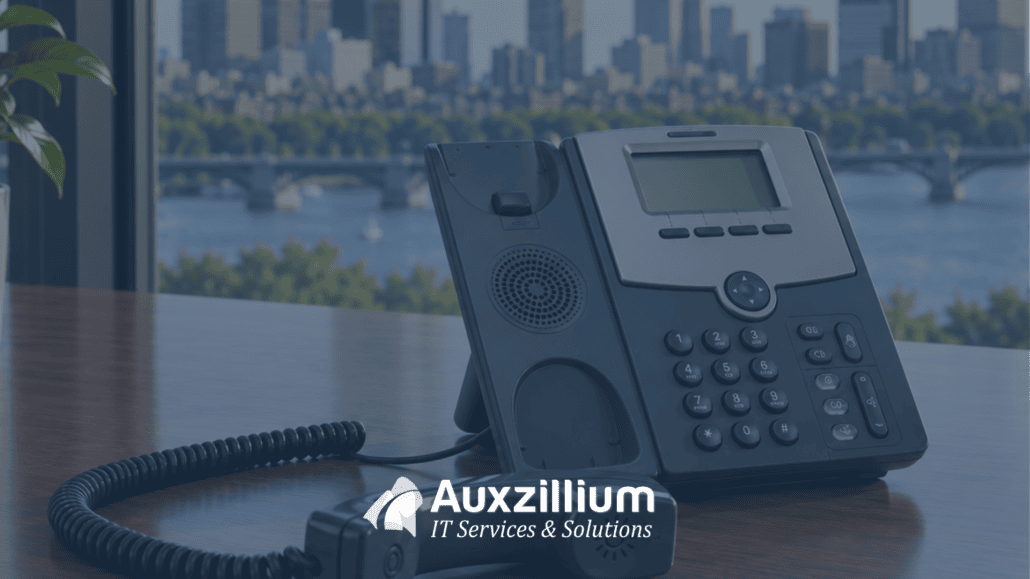
When your business has an issue with services like telephony or service providers such as Comcast or Verizon, who manages that for you?

Is it you, or is it your Managed Services Provider (MSP)?

Although your MSP isn’t directly responsible for an issue with 3rd-party services, they should be the tip of the spear when it comes to resolving an outage, especially if they’re the ones who vetted the services and recommended them to you.

When I tell clients holistic managed services include the management of everything from your internet connection to the end-user—and all that lies between, that includes vendor management.

I’ve mentioned to clients that we relish the position of being the bulldog standing at the door between typical salespeople and the decision-makers.

In certain circumstances, vendor management eliminates finger-pointing and identifies the party responsible.

managed vendor it services Auxzillium

Who wants to call Verizon or Comcast?

How much time does it take to get through all the automated responses before speaking to a human being?

It’s even worse when you don’t know your account information, circuit ID, or the original phone number or email address the services were set up under.

Not only is it important for your MSP to manage these kinds of vendors, but it’s also important that your MSP doesn’t recommend only one.

A good MSP will give you options and inform you about each of them. They won’t pigeonhole you into a solution they’ve sold to everyone else just to make a buck.

I remember having to deal with an issue involving a piece of carrier-services equipment brought in by a prior MSP. When I questioned the need for it, they shared that the former MSP was one of their largest sellers.

That’s exactly why options matter.

The primary benefit of having an MSP capable of managing third-party services—telephony, internet, television, specialized circuits, and more is that they have support connections a traditional call to a publicly available phone number simply won’t achieve.

This accomplishes two important things:

1. It minimizes downtime.
2. It provides relief.

Nobody in your organization has to spend their time addressing the issue.

And there are benefits beyond outage management.

When was the last time you reviewed your carrier services?

They should be reviewed annually, whether your business is under an agreement or not. Service offerings change often.


Your business deserves more than basic IT support.

 Contact Auxzillium today and discover a better approach to Managed IT Services in Boston.

  Contact Us

Share this entry
  • Share on Facebook
  • Share on X
  • Share on WhatsApp
  • Share on Pinterest
  • Share on LinkedIn
  • Share on Tumblr
  • Share on Vk
  • Share on Reddit
  • Share by Mail
https://auxzillium.com/wp-content/uploads/2026/09/auxzillium-managing-vendors-.png 1080 1920 Jeff Ray https://auxzillium.com/wp-content/uploads/2019/02/Auxillium-Logo-IT-Services-and-Solutions-Boston-IT-Consultants-optimised.png Jeff Ray2026-09-21 18:53:122026-09-21 19:00:33Your Boston MSP Should Be Fighting With Comcast. Not You!
Search Search

Recent Posts

  • IT Procurement Best Practices That Cut Downtime, Delays, And Surprise Costs
  • Boston Managed IT: Critical PHP Vulnerabilities and the Importance of Proactive Protection
Auxzillium Logo
407R Mystic Avenue, Medford,
MA 02155
Sales: 1-888-342-9985
Support: 781-396-6726
Facebook Twitter LinkedIn Instagram YouTube
Services
  • Cloud Services
  • Microsoft Azure Services
  • Backup and Disaster Recovery
  • Managed IT Services
  • Virtualization Services
  • Cybersecurity Assessment
Office
  • Boston, MA
    53 State St,
    Boston, MA 02109

    (857) 597-7142

Quick Links
  • About Us
  • Blog
  • Careers
Contact
  • Client Log In
  • Contact Us
© Copyright 2025 | Auxzillium - IT Services & Solutions | Privacy Policy
Link to: Why Managed Services Matters When Support, Security, And Cloud Control Get Hard Link to: Why Managed Services Matters When Support, Security, And Cloud Control Get Hard Why Managed Services Matters When Support, Security, And Cloud Control Get ...Why Use Managed IT Services from Auxzillium Link to: One Size Doesn’t Fit All: Why Boston Businesses Need an IT Strategy That Fits Link to: One Size Doesn’t Fit All: Why Boston Businesses Need an IT Strategy That Fits One Size Doesn’t Fit All: Why Boston Businesses Need an IT Strategy That ...
Scroll to top Scroll to top Scroll to top
Accessibility Adjustments

Powered by OneTap

Accessibility Commitment for Auxzillium

At Auxzillium, we are committed to making our digital presence as accessible and inclusive as reasonably possible for all users, including individuals with disabilities. Our goal is to improve the usability of https://auxzillium.com and to support a more accessible experience for everyone, regardless of their abilities or the technologies they use.

Our Approach to Accessibility

We aim to align with the Web Content Accessibility Guidelines (WCAG), which define internationally recognized standards for digital accessibility. While full compliance cannot always be guaranteed, we strive to implement improvements where feasible and regularly review accessibility-related aspects of our website. Accessibility is an ongoing process, and we are committed to improving the experience over time as technologies, standards, and user needs evolve.

Accessibility Features

To support accessibility, https://auxzillium.com may utilize tools such as the OneTap accessibility toolbar. This interface provides users with a range of helpful features, including:
  • Adjustable text size and contrast settings
  • Highlighting of links and text for better visibility
  • Full keyboard navigation of the toolbar interface
  • Quick launch via keyboard shortcut: Alt + . (Windows) or ⌘ + . (Mac)
Please note the following:
  • The availability and effectiveness of these features depend on the website's configuration and ongoing maintenance.
  • While we strive to ensure accessibility, we cannot guarantee that every part of https://auxzillium.com will be fully accessible at all times. Some content may be provided by third parties or affected by technical constraints beyond our immediate control.

Feedback and Contact

We welcome your feedback. If you experience any accessibility barriers or have suggestions for improvement, please contact us: Email: shertigan@auxzillium.com Phone: 781-396-6726 We are committed to reviewing all inquiries and aim to respond within 3–5 business days. If you require assistance accessing any part of this website, we are happy to provide support through alternative channels upon request. Last updated: November 9, 2026
How long do you want to hide the toolbar?
Hide Toolbar Duration
Select your accessibility profile
Vision Impaired Mode
Enhances website's visuals
Seizure Safe Profile
Clear flashes & reduces color
ADHD Friendly Mode
Focused browsing, distraction-free
Blindness Mode
Reduces distractions, improves focus
Epilepsy Safe Mode
Dims colors and stops blinking
Content Modules
Font Size

Default

Line Height

Default

Color Modules
Orientation Modules